GeForce NOW vs. Your Own PC: Where Does Your Gaming Dollar Really Go?
Are we truly buying games, or just renting access? Does the ultimate gaming experience reside in a distant server farm or on the powerful machine under your desk? Imagine your current laptop barely handles web browsing, let alone a demanding new game. Or maybe you’ve got a beast of a rig at home, but you’re halfway across the country, itching to pick up where you left off. This isn’t just about money; it’s about control, convenience, and where you draw the line.
This choice between cloud gaming services and streaming your own machine is a real problem for a lot of us. Each way has its good parts and its bad parts, shaping not just how you play right now, but what your gaming setup is worth down the road. We need to look at the real costs here, not just the monthly fees or the hardware price tag. This breakdown is about finding those hidden expenses and benefits. Think about your gaming like a trip. Are you the captain, handling your own ship, plotting every course and maintaining your vessel? Or are you a passenger on a luxury liner, where someone else handles the steering, the maintenance, and all the routes?
What Exactly Are We Comparing: Cloud Gaming vs. Remote Play?
So, what are we actually talking about here? Cloud gaming, like GeForce NOW, means you’re basically renting a gaming PC that lives in some giant server farm. When you hit a button, that input goes to their server, the game runs, and they send you back a video stream. It’s like watching a high-quality Twitch stream, but you’re in control. The big draw? You don’t need a powerful PC yourself – just a phone, a tablet, or even a cheap laptop. All the heavy graphics work happens far away, bringing big-budget games to almost any screen.
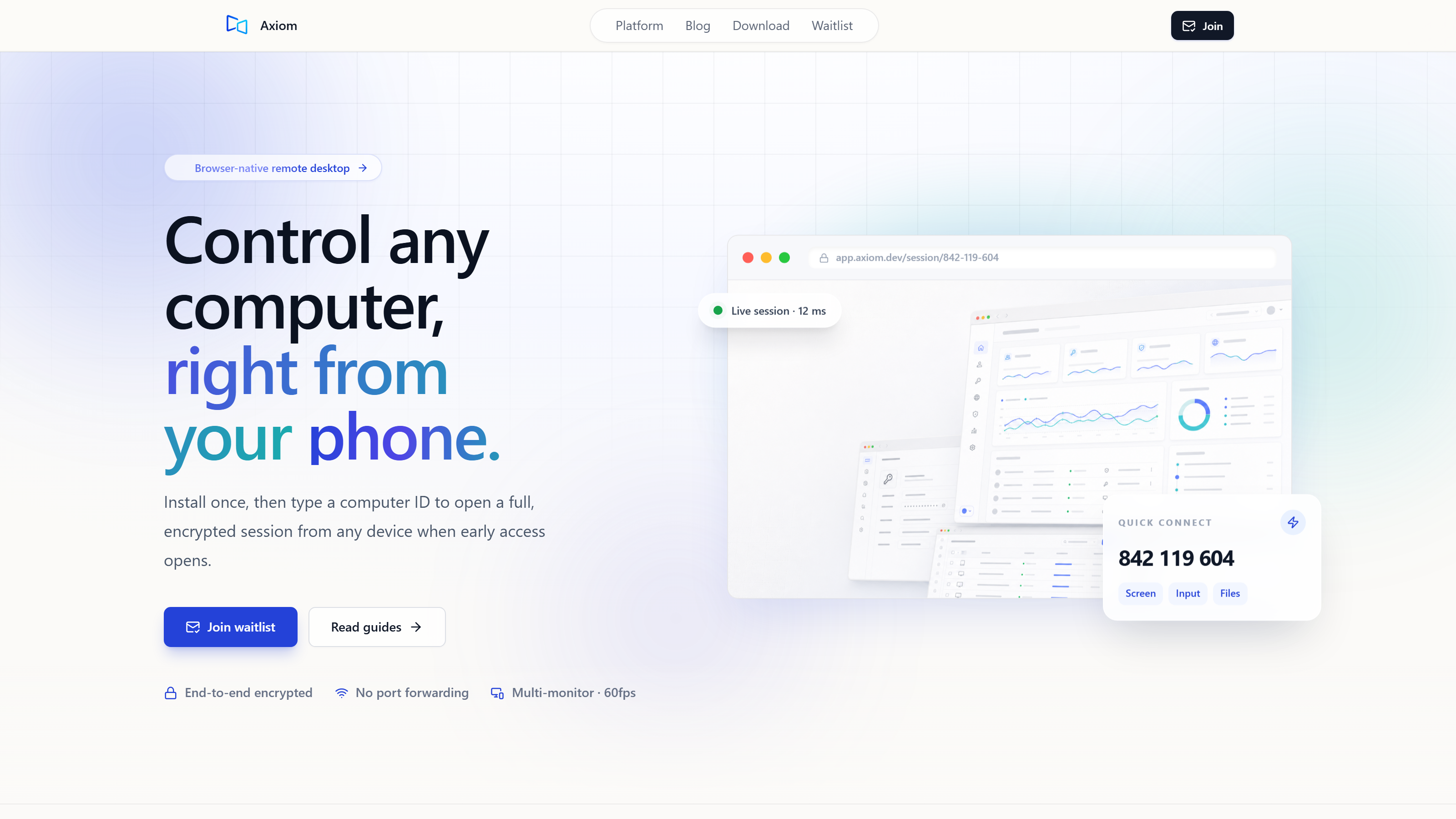
Remote play, on the other hand, is about using your own gaming PC. You’ve got a physical machine at home, and software like Axiom lets you connect to it from another device. It sends you the video, you send it your inputs. Instead of paying for a server somewhere, you’re just extending what your own hardware can do. You get your whole game library, your settings, your mods – everything from your home rig, accessible from almost anywhere. This shows how cloud gaming is a fully managed service, a hardware rental, while remote play lets you get more out of the machine you already own.
What’s the Upfront Cost: Building or Buying a PC vs. Subscribing?
When we talk about what it costs to get started, GeForce NOW is pretty clear: zero upfront for the actual gaming hardware. You’re not buying a graphics card or a processor; you’re paying a subscription to use theirs. You just need a device to connect with – a smartphone, a tablet, or a basic laptop you probably already have. This means anyone can jump into demanding games without dropping serious cash on a gaming PC first. It opens the door for a lot of people who either don’t have or don’t want to make that big initial hardware investment.
Now, for streaming your own PC, the entry ticket is the actual gaming PC itself. We’re talking about the GPU, the CPU, the RAM, and the storage – components that can easily run into thousands of dollars. It’s a big, one-time cost. But once you buy it, it’s yours. You can play locally, do creative work, or, as we’re discussing, stream it remotely. You pay the full price up front, but you also get full ownership and control. This shows how GeForce NOW makes high-end gaming available to people who don’t have a powerful PC, allowing immediate play without a heavy initial outlay. On the flip side, remote play means you’re getting more out of the already substantial investment you made in your own hardware.
How Do Ongoing Costs Stack Up: Subscriptions, Power, and Internet Data?
What about the costs that keep piling up? For GeForce NOW, it’s mostly those tiered subscriptions. They usually have a free option with limited play time and server access, a Priority tier for longer sessions and better hardware, and an Ultimate tier that gives you access to top-tier GPUs like the RTX 4080, along with extended session times and advanced features like RTX. These are clear monthly or yearly charges. You know what you’re paying for access to premium hardware, and you don’t have to worry about upgrades or maintenance yourself.
Your own PC, especially a powerful gaming rig, uses electricity whenever it’s on, even when you’re accessing it remotely. That means an ongoing utility bill, which changes based on your local electricity rates and how long the machine runs. A single session might not incur massive bills, but continuous remote access can definitely add up. Both cloud gaming and remote play solutions need a stable, fast internet connection. Streaming high-resolution video and sending your inputs back and forth needs plenty of bandwidth. If your internet provider has data caps, you could burn through a lot of data, potentially leading to extra charges. High-quality streaming, especially at higher resolutions and frame rates, can eat up gigabytes quickly. Your home PC needs enough upload headroom to send that video stream effectively, and your client device needs a fast enough connection to get it. Over time, your own PC will also need hardware upgrades to keep up with new games and tech. That might mean replacing a GPU, adding more RAM, or upgrading storage – intermittent, but potentially big, costs that cloud gaming subscriptions just cover for you. For remote play software, Axiom plans a free tier for personal use. Early testers will also receive launch discounts, though final pricing for paid tiers isn’t locked yet. This model aims to provide flexible options for users who want to extend their existing hardware’s reach. This shows the big difference: cloud gaming means recurring operational costs for predictable access. Conversely, streaming your own PC, while it has that higher initial barrier, can save you money in the long run by using your existing hardware, though you’ll still have ongoing utility and eventual upgrade decisions.
Who Owns the Games, and What About Mods and Libraries?
When it comes to your games, GeForce NOW has some caveats. You need to own the games on platforms such as Steam or Epic Games, sure. But the real catch is that the games also have to be supported by GeForce NOW. Not every title available in your digital library will be accessible through their service. On top of that, modding – something a lot of us love about PC gaming – usually isn’t an option. You’re playing a curated version of the game in a controlled server environment, meaning custom textures, user-created quests, or balance changes are off-limits.
Streaming your own PC, though, gives you full control over your entire game library. It doesn’t matter what platform it’s on or if a cloud service supports it. If it runs on your PC, you can stream it. This also means unlimited modding potential, allowing you to personalize your games with community creations, graphical enhancements, or gameplay tweaks. You also maintain direct access to save files, custom configurations, and any other part of your operating system. This is your machine, your rules. This shows the fundamental difference in who’s in charge. GeForce NOW offers access to a curated and managed library, prioritizing convenience over customization. Your own PC, however, offers complete command over your digital domain, allowing for unparalleled freedom and personalization.
How Flexible Are Your Options: Device Access, Location, and Connectivity?
When it comes to how flexible you can be with where and how you play, GeForce NOW is pretty good. You can play on almost any modern device, including smartphones, tablets, smart TVs, and even low-end PCs or Chromebooks. This makes it incredibly convenient for gaming on the road or turning a spare screen into a gaming display. The service is also largely location-agnostic within its supported regions, meaning you can access your games from various places as long as you have a decent internet connection.
Streaming your own PC with tools like Axiom also works with a lot of devices. You can connect from any modern browser by simply typing in the ID and access password for your host PC; no app install is needed on the connecting device. This browser-first idea means almost any internet-connected screen can become a portal to your gaming rig. Just like cloud gaming, you can play from anywhere with an internet connection, effectively extending your home setup across geographical boundaries. Whether you’re at a friend’s house, a hotel, or a coffee shop, your PC is right there. Axiom employs intelligent connectivity solutions. It attempts a direct connection between devices when networks allow, which can offer the lowest latency. However, it also features an automatic fallback to Axiom’s relay servers when a network blocks the direct path – a common occurrence in strict Wi-Fi environments, hotels, university campuses, or behind carrier-grade NAT (CGNAT). Sessions are encrypted to protect your data. Critically, no port forwarding or complex router configuration is ever required, simplifying the setup process significantly. Beyond just gaming, remote play often offers full remote desktop features. Axiom, for instance, includes clipboard sharing, audio streaming, file transfer capabilities, terminal access, and multi-monitor support, allowing you to use your gaming PC for more than just games when streamed remotely. Just a heads up: native controller support is currently on the early-access roadmap for Axiom and is not yet shipped. This shows how while both solutions offer location independence, remote play with tools like Axiom provides deeper integration and control over the host environment, not only addressing common network hurdles transparently, but also offering a broader suite of remote desktop functionalities.
What About Performance and Latency: Whose Rig Delivers?
GeForce NOW provides access to high-end, constantly updated hardware, often featuring the latest NVIDIA GPUs, such as the RTX 4080 in its Ultimate tier. This means you can expect consistent, top-tier graphics performance based on your subscription tier and network quality, without needing to worry about upgrading your own components. The performance is managed and maintained by NVIDIA, ensuring that the underlying hardware is always capable of running the latest games at high settings.
When you stream your own PC, though, performance is entirely up to your local machine’s specifications. If you own a powerful, modern gaming PC, you’ll experience that same high performance remotely. If your PC is older or not as capable, that limitation will naturally carry over to your streamed experience. The quality you get is directly tied to the hardware you’ve put money into. Latency is an inherent factor in any streaming solution, whether cloud or remote play. It involves the time taken for your input to travel to the server/host, for the game to process it, for the video to be encoded, sent across the network, and then decoded and displayed on your client device. Each step adds a tiny delay. While cloud gaming minimizes the distance between the game and the server, your local network and the distance to the cloud server still contribute to this overall latency. For remote play using Axiom, gaming mode targets 1080p at 60fps. This is a design target, and it is achieved with hardware encoding on a discrete-GPU gaming PC. To minimize input lag, mouse and keyboard input travels on a dedicated low-latency channel, separate from file transfers and other traffic. My own informal founder tests in July 2026, using a Windows gaming PC host and a browser client on the same laptop connected via a US mobile hotspot, showed about 10ms of added latency on a phone hotspot versus home Wi-Fi. This indicates that while network conditions always play a role, the software aims to optimize for responsiveness. This detailed look shows that while cloud gaming offers access to peak hardware on demand, the responsiveness of your experience when streaming your own PC is critically dependent on both your local network conditions and the efficiency of your remote play software. It highlights a trade-off: guaranteed high-end hardware versus leveraging your owned hardware with optimized software.
Is Setup and Maintenance a Major Factor?
How much work is it to get things running and keep them that way? Setting up GeForce NOW is honestly pretty straightforward. You subscribe to a tier, download the client application on your chosen device, log in, and you’re ready to start gaming. There’s no hardware to install, no drivers to update, and no system maintenance to perform. NVIDIA handles all the backend infrastructure, ensuring the virtual machines are always patched, optimized, and ready for play. This unparalleled convenience is a major draw for users who prioritize simplicity.
With your own PC, the initial setup involves building or configuring the machine, installing the operating system, downloading drivers, and then installing all your games. This is a more hands-on process. Ongoing maintenance includes regular driver updates for your GPU, patching your operating system, managing game installs and updates, and occasional troubleshooting. This level of involvement is part of owning a PC. For remote access, Axiom simplifies the connection process. You install it once on the Windows PC you want to reach, and it generates a short numeric connect ID. To connect from any modern browser, you simply enter that ID and an access password; no app install is needed on the connecting device, streamlining the client-side experience considerably. This shows the clear trade-off between convenience and the hands-on control that comes with managing your own machine. Cloud gaming offers a ‘set it and forget it’ approach, while remote play, even with simplified tools, still operates within the framework of personal PC ownership and its associated responsibilities.
| Feature | GeForce NOW | Streaming Your Own PC (e.g., Axiom) |
|---|---|---|
| Upfront Hardware | Minimal (client device) | Significant (gaming PC) |
| Ongoing Cost | Subscription (tiered) | Electricity, Internet, occasional upgrades |
| Game Ownership | Must own games; limited by GFN’s supported library | Full control over your entire library |
| Modding | Not supported | Full support |
| Hardware Specs | High-end, updated by NVIDIA (tiered) | Dependent on your local PC’s specs |
| Client Devices | Wide range (PC, Mac, mobile, TV) | Wide range (any modern browser for Axiom) |
| Network Setup | Simple client app, no router config | Simple host install (Axiom), no port forwarding required |
| Latency | Variable, depends on network & distance to server | Variable, depends on local PC, network, client device; dedicated low-latency input channel (Axiom) |
| Control/Flexibility | Less control over OS, limited apps, game versions | Full control over OS, files, apps, mods |
When is GeForce NOW the Clear Winner?
So, when does GeForce NOW really win out? It stands out as the clear choice in a few situations. If you don’t own a gaming PC, or if your current machine is severely outdated, it offers an immediate pathway to high-end graphics without a massive hardware investment. It’s ideal for those who travel frequently and wish to game on lightweight devices like laptops, tablets, or even smartphones, turning any screen into a powerful gaming rig. Users who prioritize convenience and simplicity over deep customization, and who are content with a curated library of supported games, will find GeForce NOW to be an exceptionally appealing option. It’s about access to cutting-edge performance without the ownership burden.
When Does Streaming Your Own PC Make More Sense?
And when does streaming your own PC make more sense? It becomes the more logical choice if you already possess a powerful gaming PC. This approach maximizes the value of your existing hardware investment, extending its utility beyond your desk. It’s particularly beneficial for players who value full control over their entire game library, including titles not supported by cloud services, and for those who enjoy extensive modding and custom system configurations. If you prefer a single, consistent gaming environment across all your devices, where every game, every mod, and every setting is exactly as you left it on your home machine, then commanding your own rig remotely offers unmatched freedom and personalization.
The Verdict: Command Your Rig or Cloud Your Play?
So, the verdict? If we’re honest, neither GeForce NOW nor streaming your own PC is universally ‘better.’ Each solution caters to distinct priorities and circumstances. The ‘real cost’ isn’t simply a matter of dollars and cents; it encompasses a broader trade-off between the freedom and ownership that comes with commanding your own gaming vessel versus the ease and accessibility of being a high-tech cloud cruise passenger. Your choice depends entirely on your personal priorities for control, convenience, and how you wish to leverage your existing or future investments. If you crave absolute command over every aspect of your gaming environment, from mods to system files, your own PC streamed remotely offers that sovereignty. If you seek effortless access to high-end gaming without the complexities of hardware ownership, then a cloud service provides that streamlined experience. Ultimately, whether you choose to be the captain of your own gaming vessel, charting every course and maintaining every component, or enjoy the curated journey of a cloud cruise, depends on what kind of adventure you truly seek.
The decision between GeForce NOW and streaming your own PC is a deeply personal one, reflecting your priorities for control, cost, and convenience. We’ve explored the real costs beyond the sticker price, showing that true value often lies in understanding your needs. Whether you prefer the hands-on mastery of your own machine or the effortless power of the cloud, making an informed choice allows you to take command of your gaming experience. Next, we’re diving into optimal network configurations for ultra-low latency remote play.